To reset your password:
- Go to https://app.bnsn.ai/auth/sign-in
- Click “Password Forgotten?”
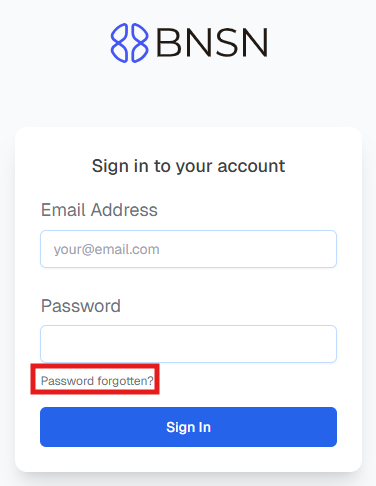
- Enter your Email Address and click “Reset Password”
- Look for an email to reset your password
- If after a few minutes, you did not receive any email or you’re getting an error message, please submit a support ticket
Having trouble resetting your password or accessing your account?
If you’re having trouble resetting your password or accessing your account, please submit a support ticket so we can help reset it for you.
Before trying again, please double-check the following:
- Make sure there are no extra spaces before or after your email or password (this is the most common issue).
- Clear your browser’s cache and cookies.
- Turn off any VPN you may be using.
Once that’s done, try logging in again. If it still doesn’t work, our support team will be happy to assist further.
Was this article helpful?
That’s Great!
Thank you for your feedback
Sorry! We couldn't be helpful
Thank you for your feedback
Feedback sent
We appreciate your effort and will try to fix the article